Logo

How can we help you?

Find step-by-step guides, troubleshooting tips, and feature explainers to get the most out of our platform.

How do I export my IronVest data?

Password Manager

How do I export my IronVest data?

Last updated on 03 Feb, 2026

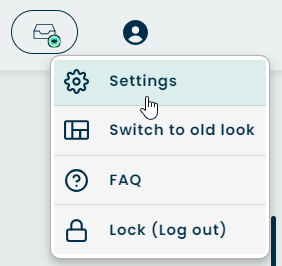
  1. Click the Account icon in the top right-hand corner of the screen

  2. Select 'Settings'

Image
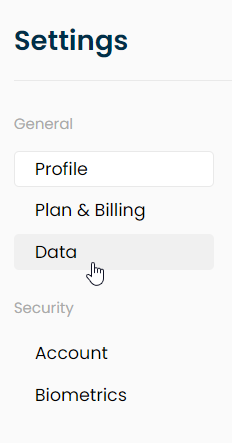
  1. Click 'Data' on the column on the left
Image
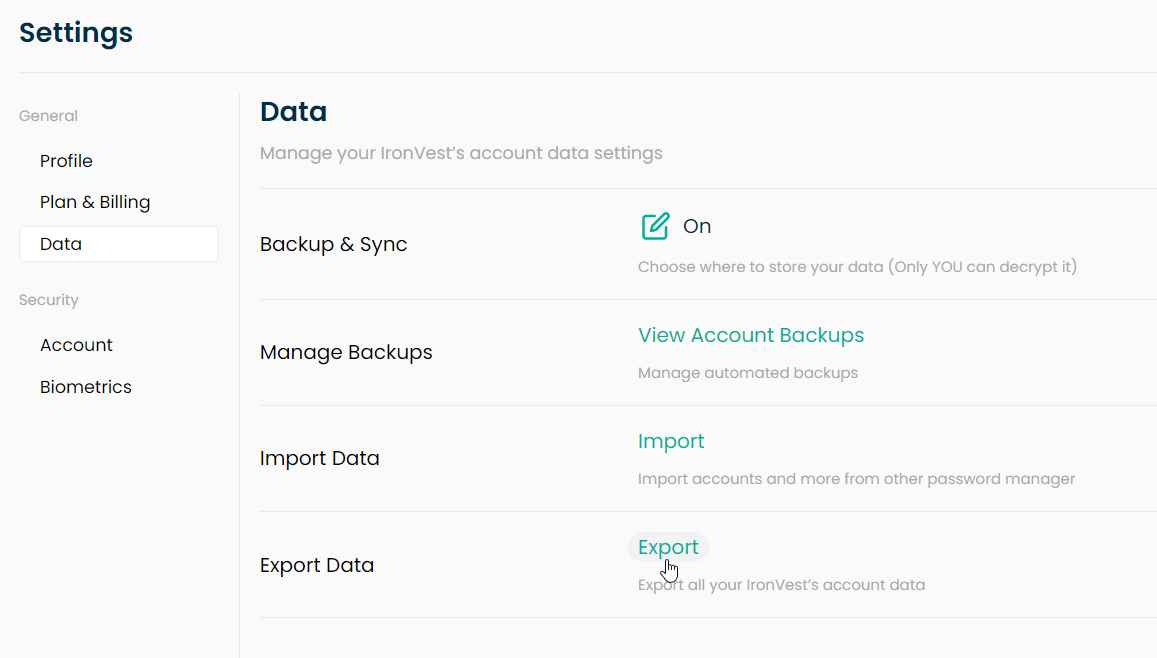
  1. Click 'Export'

Image
  1. Depending on the file you'd like, select either either Export CSV or Export IronVest Data

      a. The CSV file is for importing to another Password Manager or for easier safekeeping of your accounts. 

      b. The .txt file is to reimport to IronVest. 

  2. Save the file

Did you find this article helpful?
Previous

How can I import my accounts from another password manager?

Next