

For the new Chrome extension:
Go to your IronVest Settings page: https://ironvest.com/app/settings
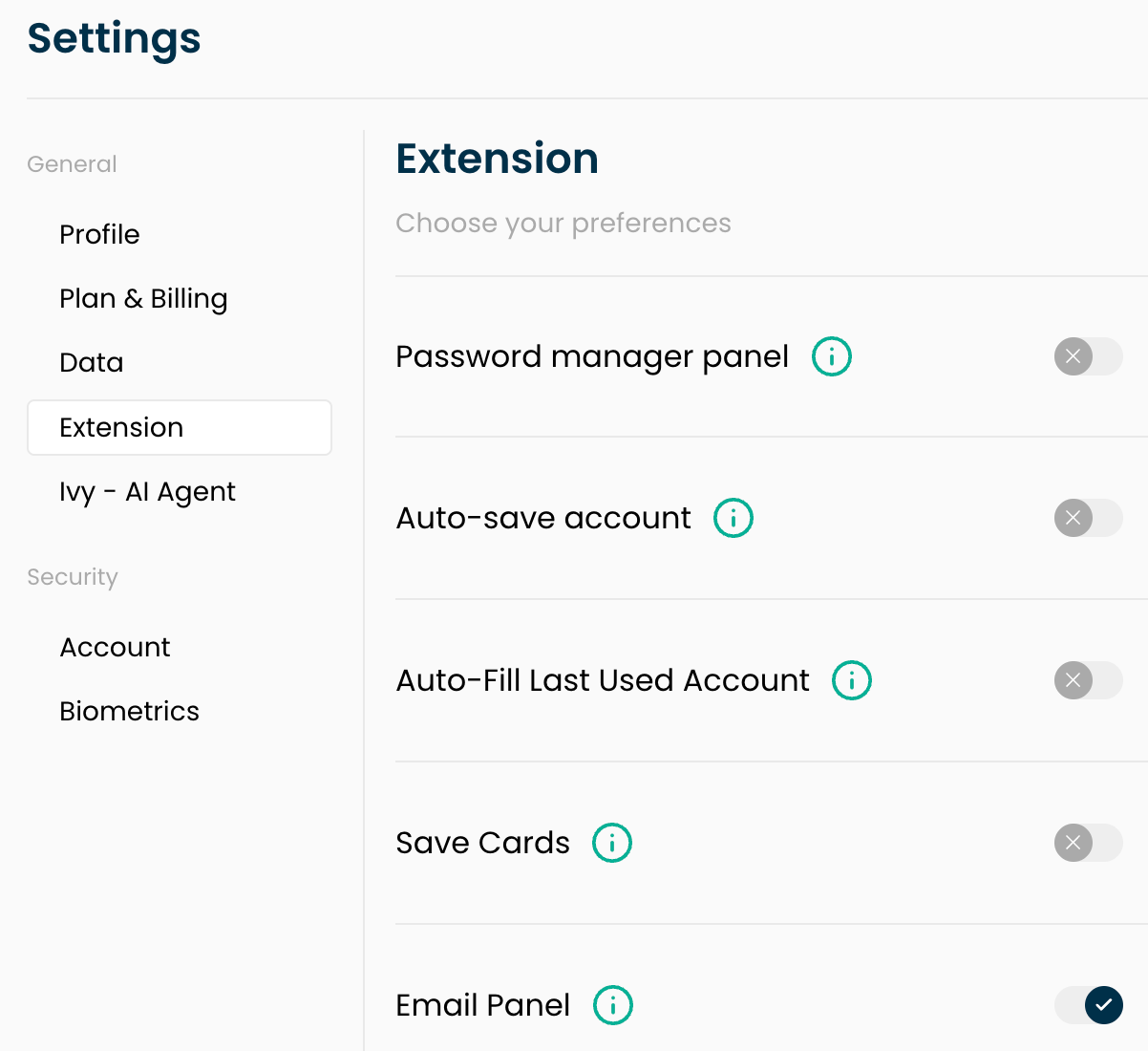
Click the "Extension" section
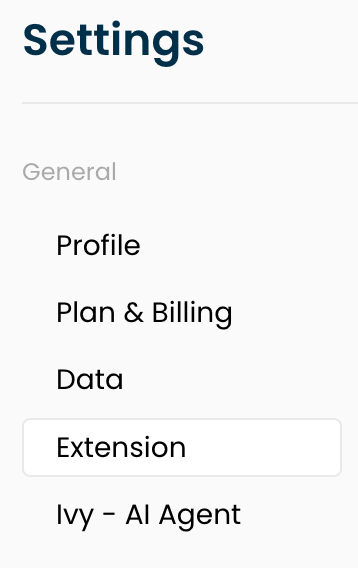
Toggle OFF: Password manager panel, Auto-save account, Auto-Fill Last Used Account, and Save Cards.
For Firefox and older versions of the extension:
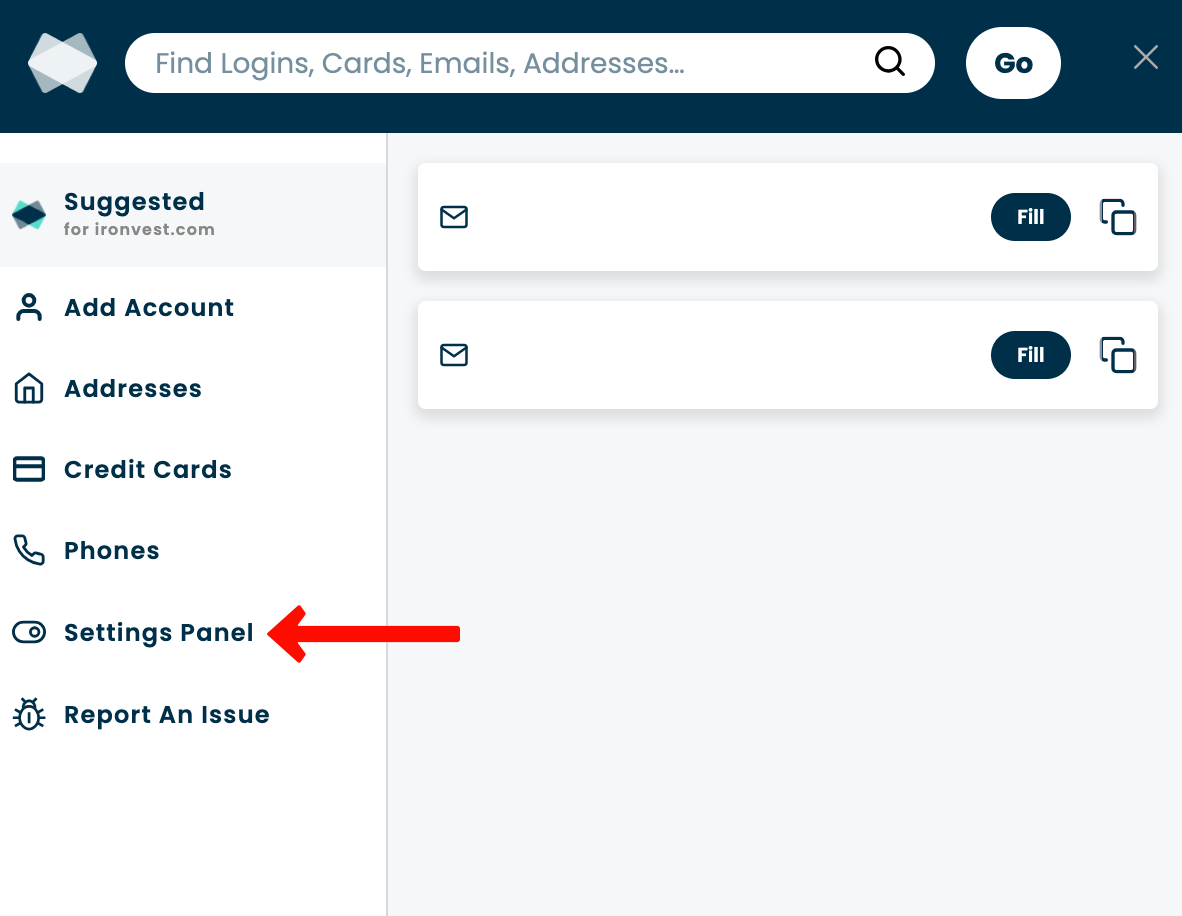
Click the IronVest icon on your browser's toolbar

Click 'Settings Panel'
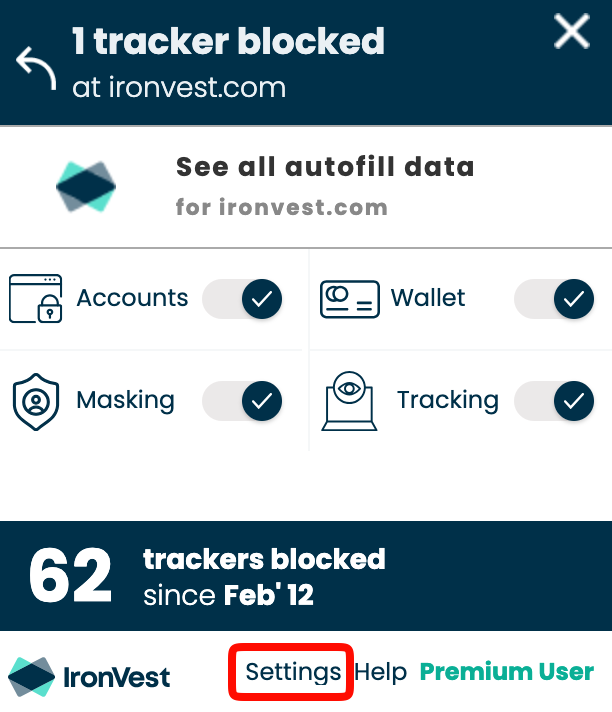
Click 'Settings' at the bottom.
Click 'Settings for All Sites'
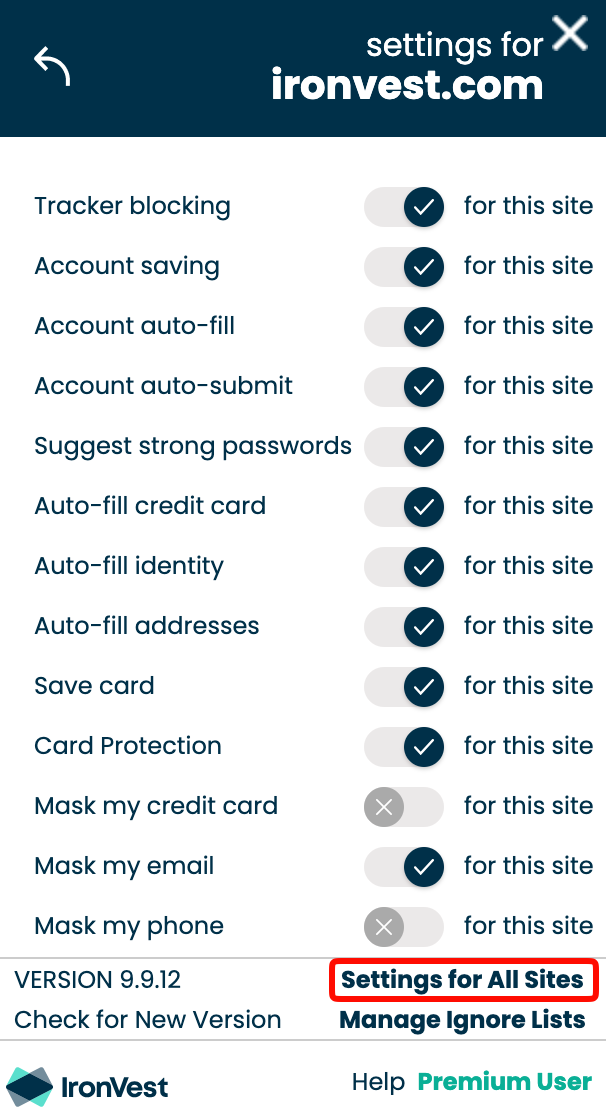
Toggle OFF: 'Account Saving', 'Account auto-fill', and 'Suggest strong passwords'
Refresh the page.
📌 Note: These features are independent of one another. You can individually turn off Account Saving, Account auto-fill, and any others depending on what suits you best.