
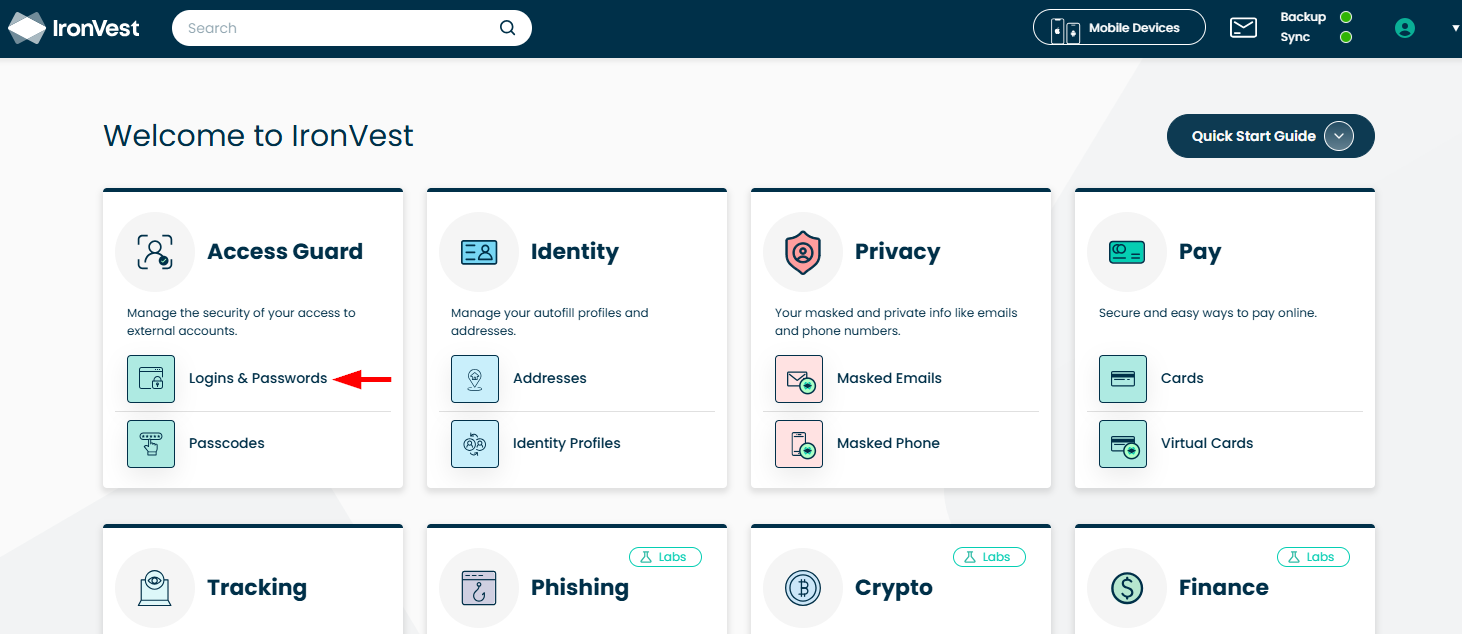
1. Go to the Logins & Passwords section.
2. Search for the account you want to edit.
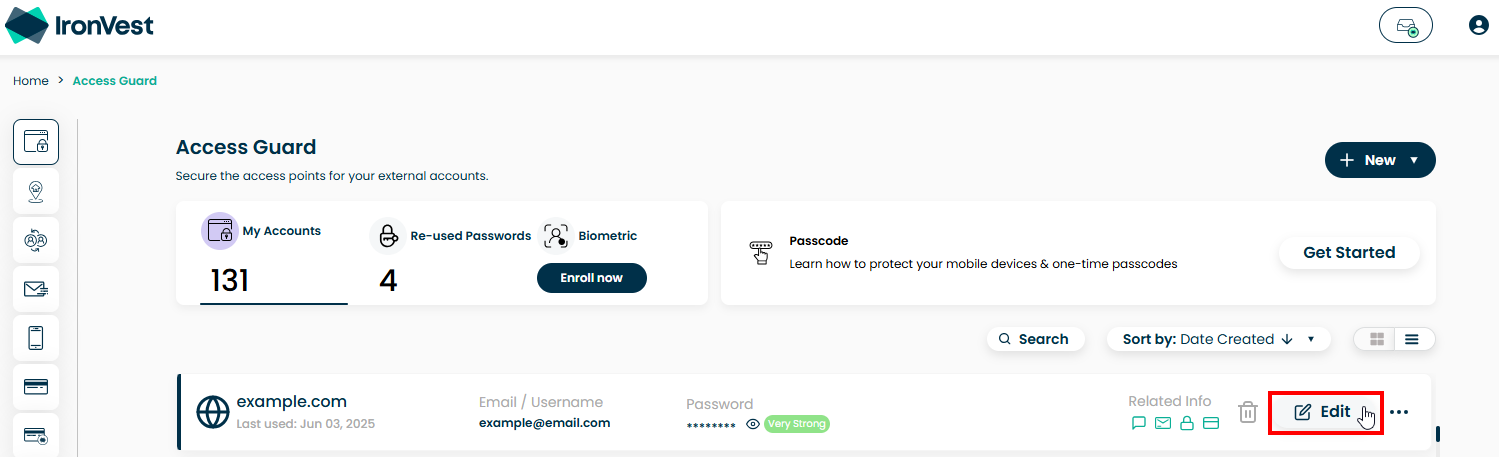
3. Hover your cursor on the account in question and click "Edit".
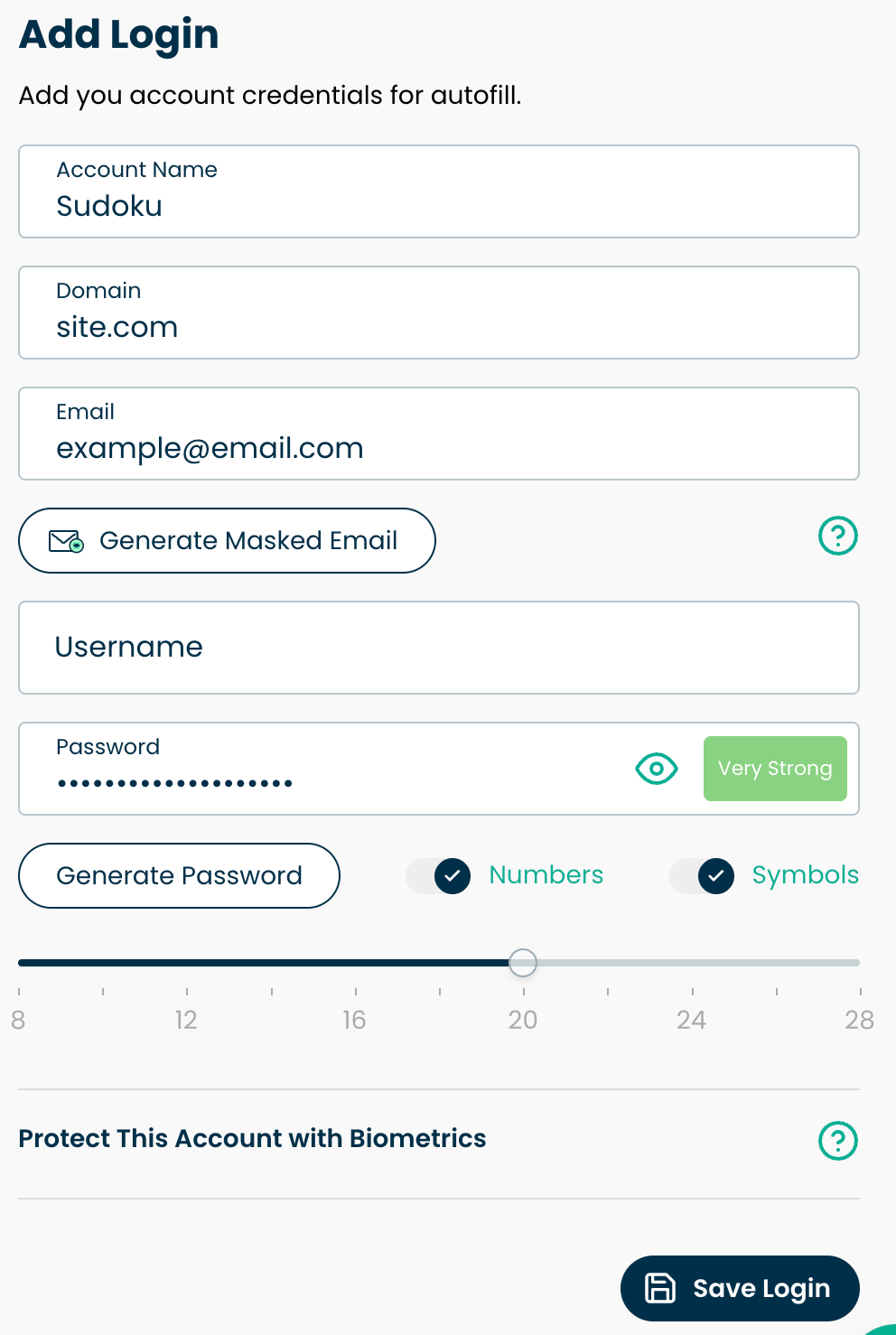
4. Enter the new details for the account.
5. Click 'Save Login'.

How can we help you?
Find step-by-step guides, troubleshooting tips, and feature explainers to get the most out of our platform.
User Manual
Last updated on 10 Mar, 2026
1. Go to the Logins & Passwords section.
2. Search for the account you want to edit.
3. Hover your cursor on the account in question and click "Edit".
4. Enter the new details for the account.
5. Click 'Save Login'.