

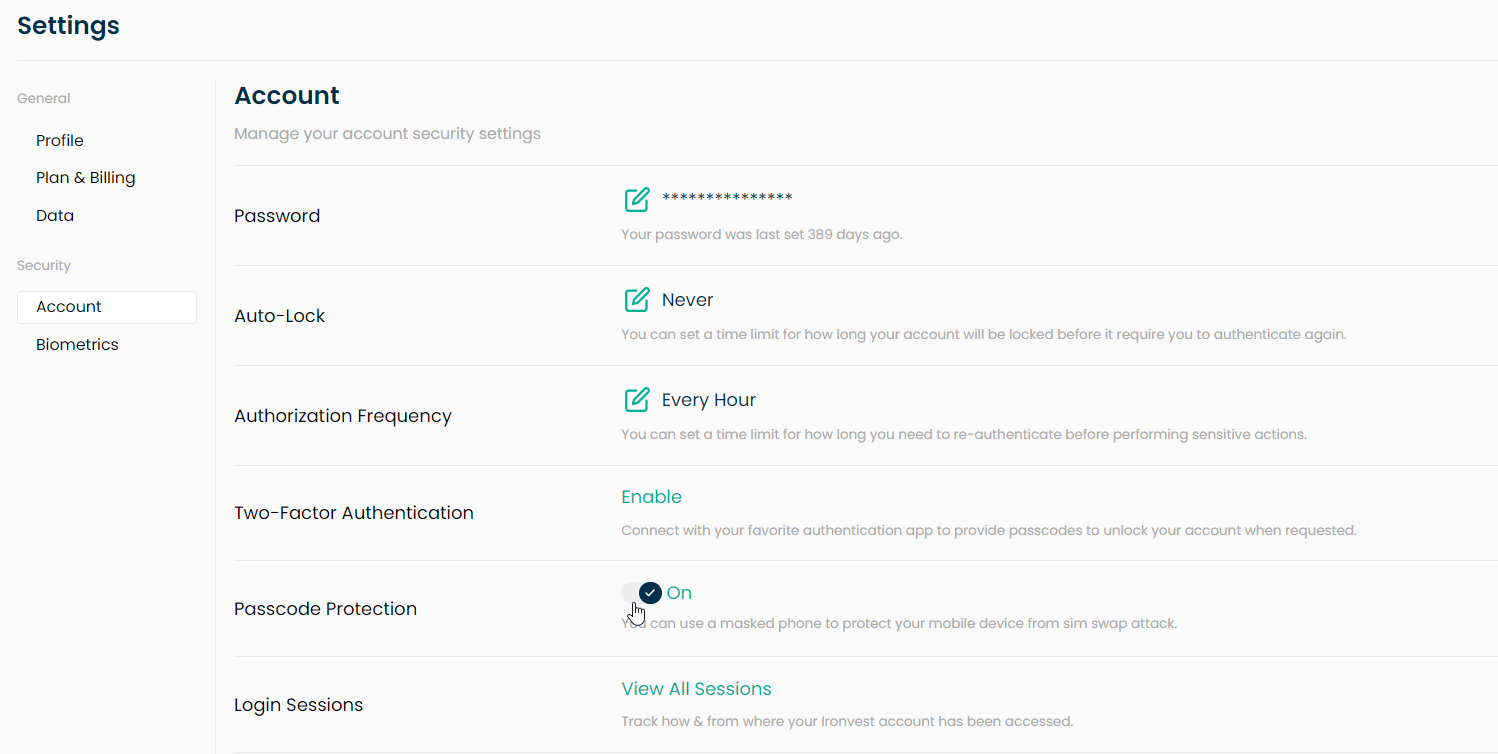
To set up IronVest Passcode Protection, first ensure that you have a Masked Phone and that the Passcode Protection feature is enabled in Settings. To enable Passcode Protection on your Settings page, please try this:
Go to your Settings page, here.
Click on 'Account'
Toggle on 'Passcode Protection'
Then, change the phone number for receiving passcodes in your online accounts to your IronVest masked phone number.
For a better experience, install the IronVest browser extension or mobile app for seamless passcode retrieval and entry. With the browser extension, passcodes are automatically filled in and with the mobile app, passcodes can be easily copied and pasted.