
You can log in in one of two ways:
From the URL https://ironvest.com/app
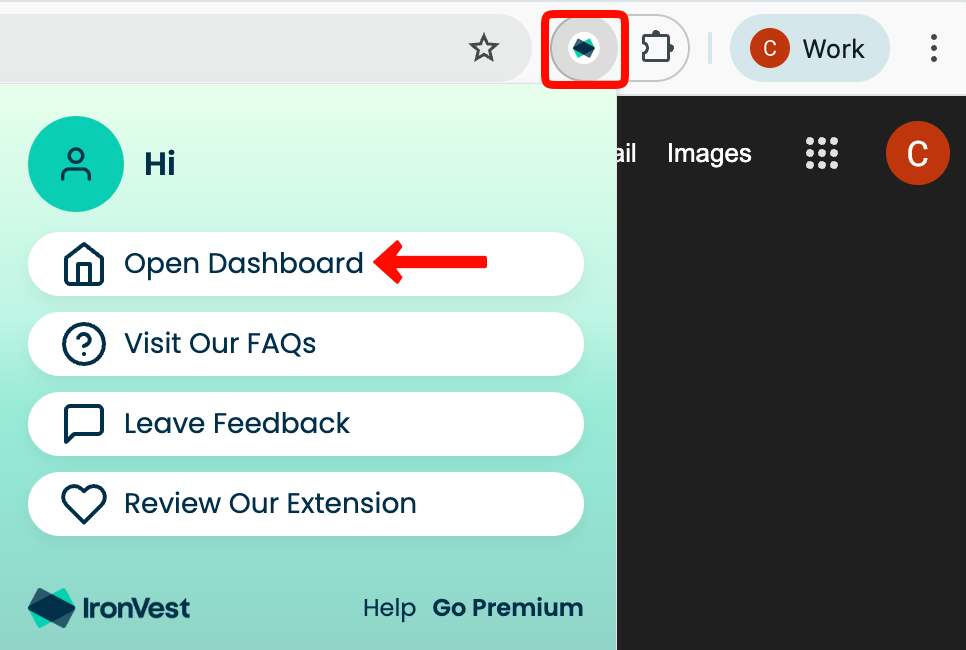
By clicking the IronVest toolbar icon pinned to your toolbar. Then, click "Open Dashboard".

How can we help you?
Find step-by-step guides, troubleshooting tips, and feature explainers to get the most out of our platform.
Login & Password Reset
Last updated on 24 Feb, 2026
You can log in in one of two ways:
From the URL https://ironvest.com/app
By clicking the IronVest toolbar icon pinned to your toolbar. Then, click "Open Dashboard".