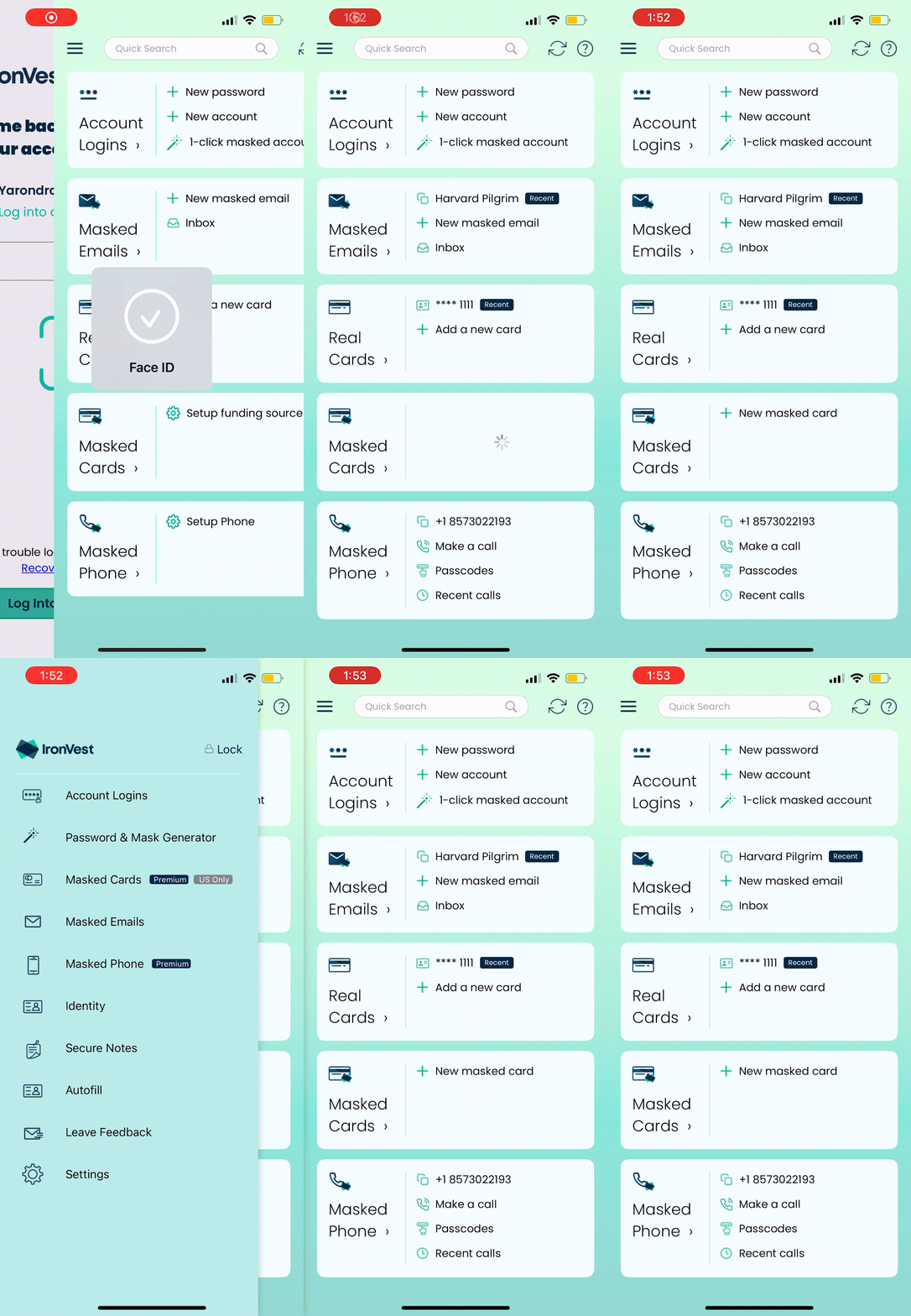
Here’s what’s new:
Revamped Mobile Homepage
Card Design: Say goodbye to the long feature list! The new homepage highlights your most used and loved features with an elegant card-based design.
Quick Actions: Each card offers one-click shortcuts to make your interactions seamless and efficient.
All Features Still Available
Don’t worry—everything you love is still here! Use the sidebar navigation, accessible via the menu icon (☰) in the top corner, to find all features.
Feature Highlights
Cards & Quick Actions:
1. Account Logins
Quickly create a new password.
Set up a new account (username + password).
Instantly create a masked account with one click (generates a masked email and password automatically).
2. Masked Emails
Copy your most recently created masked email address.
Create a new masked email.
Access your masked email inbox.
3. Real Cards
Copy your latest card autofill record.
Add a new card autofill record.
4. Masked Cards (Premium users only, Coming Soon)
Copy recent masked card details.
Create a new masked card.
5. Masked Phone (Premium users only, selected countries)
Copy your masked phone number.
Make a call from your masked number.
Access your passcodes inbox.
View recent call logs.